
Uber Receipt Template
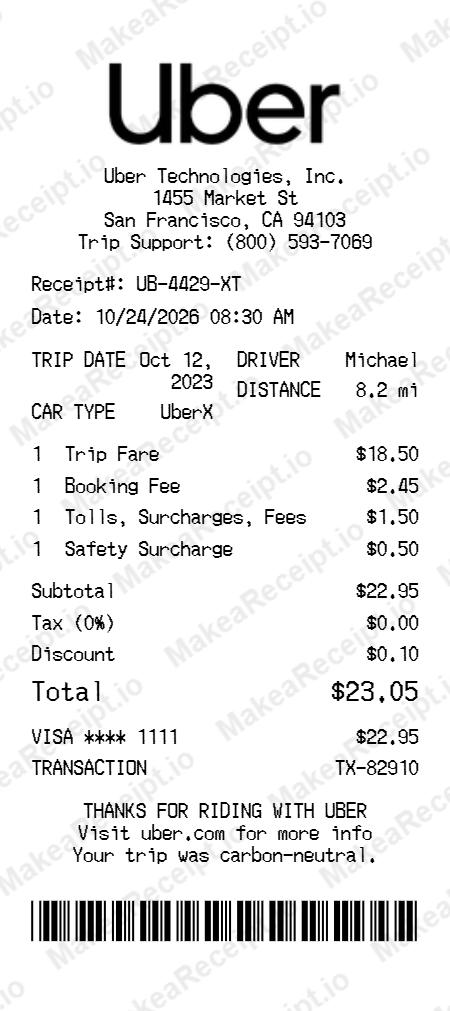
Create professional Uber trip summaries and ride-share receipts in seconds. Our free online generator allows you to customize every detail—from total fares and booking fees to driver profiles and payment methods. Perfect for UI designers building travel apps, financial developers testing mileage logic, or content creators needing realistic digital props for production.
How to Create an Uber Receipt in Minutes
Get your professional Uber receipt instantly. Zero design experience required. Professional quality in just a few clicks.
Select your template
Browse our gallery to find the perfect Uber layout. Our editor loads with realistic sample data ready for your touch.
Input order details
Adjust the header details for your Uber receipt, including store address, register numbers, and cashier IDs.
Add itemized products
List your Uber purchases with ease. Add each item, quantity, and unit price—the editor handles the math automatically.
Set totals & taxes
Configure the tax logic for your Uber transaction. Choose between fixed or percentage rates and add custom discounts.
Choose payment method
Specify how the Uber order was paid. Toggle between Cash or Card and input masked card numbers for authenticity.
Download your receipt
Review your live Uber preview, then export the final design as a high-resolution PNG or PDF document.
Frequently Asked Questions
Everything you need to know about creating, customizing, and downloading professional Uber receipts in seconds.
Can I switch between different Uber ride types like UberX, XL, or Black?
Yes, our Uber template supports multiple vehicle class layouts. You can toggle the ride type in the editor, and the fare headers and vehicle icons will update to match the specific service you are replicating.
How do I add a detailed fare breakdown (Base Rate, Distance, Time)?
The editor includes dedicated fields for each trip component typically found on an Uber summary. You can manually set the base fare, distance rate, and time duration, and the subtotal will be calculated automatically.
Does the template allow for custom driver and vehicle information?
Absolutely. You can edit the driver’s name, their vehicle make and model (e.g., Toyota Prius, Tesla Model 3), and even add a custom license plate to match a real-world trip.
Can I customize surge pricing, tolls, and other misc fees?
Yes, the template has specific rows for surge multipliers, bridge tolls, and airport surcharges. These can be adjusted independently to create an authentic multi-fee trip summary.
Does the exported Uber receipt include the ride map visualization?
Our generator focuses on the text-based digital receipt format. While it includes realistic pickup and drop-off address text, it uses a clean, high-end static layout rather than a live dynamic map for maximum stability and speed.