
Amazon Receipt Template
Create professional Amazon order summaries and receipts in seconds. Our free online generator allows you to customize every detail—from item descriptions and SKUs to shipping methods and tax calculations. Perfect for UI designers building e-commerce apps, developers testing OCR systems, or content creators needing realistic props.
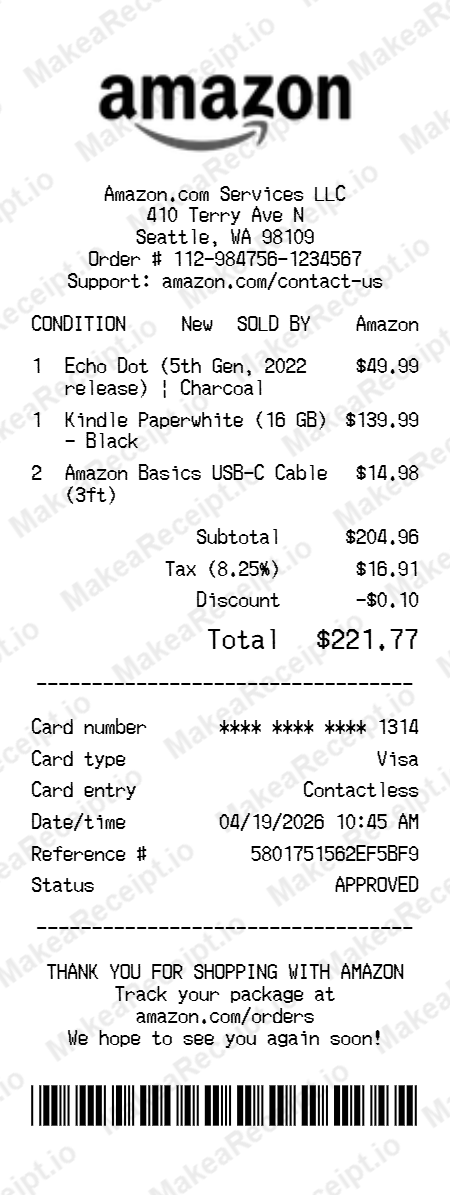
How to Create an Amazon Receipt in Minutes
Get your professional Amazon receipt instantly. Zero design experience required. Professional quality in just a few clicks.
Select your template
Browse our gallery to find the perfect Amazon layout. Our editor loads with realistic sample data ready for your touch.
Input order details
Adjust the header details for your Amazon receipt, including store address, register numbers, and cashier IDs.
Add itemized products
List your Amazon purchases with ease. Add each item, quantity, and unit price—the editor handles the math automatically.
Set totals & taxes
Configure the tax logic for your Amazon transaction. Choose between fixed or percentage rates and add custom discounts.
Choose payment method
Specify how the Amazon order was paid. Toggle between Cash or Card and input masked card numbers for authenticity.
Download your receipt
Review your live Amazon preview, then export the final design as a high-resolution PNG or PDF document.
Frequently Asked Questions
Everything you need to know about creating, customizing, and downloading professional Amazon receipts in seconds.
Does this template match the standard Amazon digital invoice format?
Yes, our Amazon template is modeled after the official digital order summaries and tax invoices (2024 style), featuring the specific grid layout, font choices, and "Sold by" sections found on real Amazon records.
Can I toggle Prime branding and special shipping icons?
Absolutely. You can choose to display the Prime logo and various shipping method icons (like One-Day or Two-Day delivery badges) to match the specific service used for the order.
How do I add separate "Ship To" and "Bill To" addresses?
The editor includes dedicated sections for both the shipping and billing addresses. You can toggle them independently to replicate orders where the recipient and payer are different.
Is it possible to include an Amazon Return barcode?
Yes, our template allows you to generate and place a realistic return barcode at the bottom of the order summary, a feature typically seen on packing slips and return authorization documents.
Can I customize the items and unique Order ID (ASIN)?
Every field, including the 17-digit Order ID, ASIN/SKU numbers, and unit prices, is fully editable. The template will automatically format these strings to match Amazon’s specialized documentation style.