
Taco Bell Receipt Template
Need a replacement record for your latest taco run? Our professional Taco Bell receipt generator accurately captures the classic fast-food aesthetic of an official order summary. Whether you're documenting business meals for reimbursement, creating mockups for a food blog, or organizing your personal dining expenses, our template includes specialized fields for order numbers, itemized menu choices, and 'Tell the Bell' survey codes.
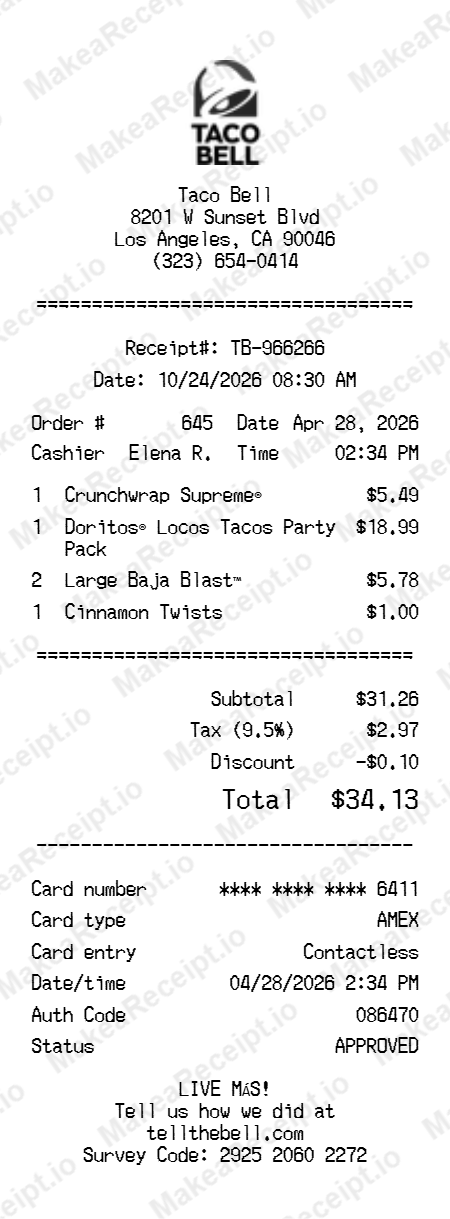
How to Create a Taco Bell Receipt in Minutes
Get your professional Taco Bell receipt instantly. Zero design experience required. Professional quality in just a few clicks.
Select your template
Browse our gallery to find the perfect Taco Bell layout. Our editor loads with realistic sample data ready for your touch.
Input order details
Adjust the header details for your Taco Bell receipt, including store address, register numbers, and cashier IDs.
Add itemized products
List your Taco Bell purchases with ease. Add each item, quantity, and unit price—the editor handles the math automatically.
Set totals & taxes
Configure the tax logic for your Taco Bell transaction. Choose between fixed or percentage rates and add custom discounts.
Choose payment method
Specify how the Taco Bell order was paid. Toggle between Cash or Card and input masked card numbers for authenticity.
Download your receipt
Review your live Taco Bell preview, then export the final design as a high-resolution PNG or PDF document.
Frequently Asked Questions
Everything you need to know about creating, customizing, and downloading professional Taco Bell receipts in seconds.
What is a Taco Bell Order Number?
The Order Number is a unique 3-digit code used to identify your specific meal at the pickup counter or drive-thru window.
Can I use this for food expense claims?
Yes! The itemized structure and restaurant details are perfect for creating the supporting documentation required for personal expense tracking.
How do I add a survey code?
You can use the custom message section to add the 16-digit "Tell the Bell" survey code found at the bottom of official Taco Bell receipts.
Is this an official Taco Bell receipt?
No. This generator is for mockup, creative, and organizational purposes only. Official receipts must be obtained at the time of purchase from the restaurant.
Can I customize the drink choice?
Absolutely. You can edit any item name to reflect your specific beverage, like Baja Blast™, Pepsi, or Iced Tea.