
DoorDash Receipt Template
Create professional DoorDash delivery summaries and receipts in seconds. Our free online generator allows you to customize every detail—from restaurant info and itemized food orders to DashPass savings and driver tips. Perfect for UI designers building food apps, developers testing financial logic, or content creators needing realistic props for set design.
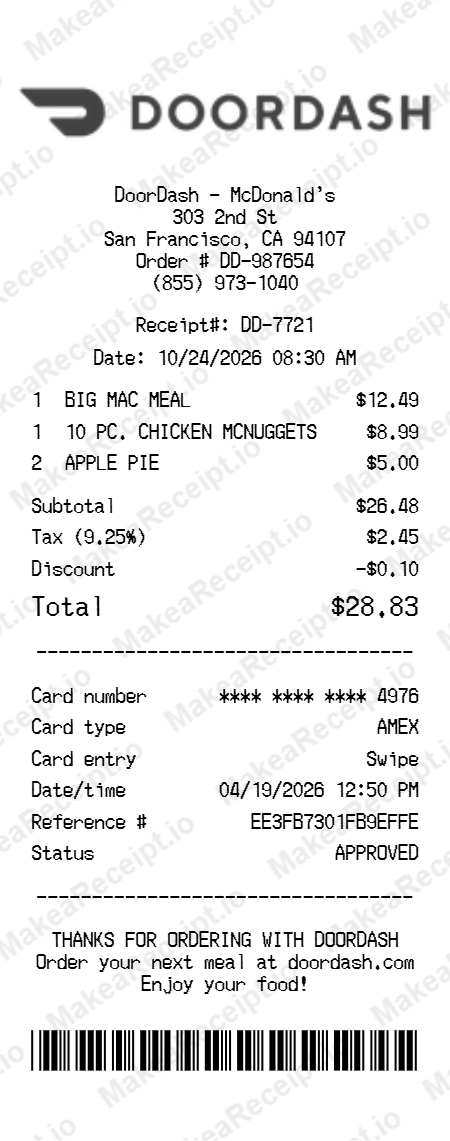
How to Create a DoorDash Receipt in Minutes
Get your professional DoorDash receipt instantly. Zero design experience required. Professional quality in just a few clicks.
Select your template
Browse our gallery to find the perfect DoorDash layout. Our editor loads with realistic sample data ready for your touch.
Input order details
Adjust the header details for your DoorDash receipt, including store address, register numbers, and cashier IDs.
Add itemized products
List your DoorDash purchases with ease. Add each item, quantity, and unit price—the editor handles the math automatically.
Set totals & taxes
Configure the tax logic for your DoorDash transaction. Choose between fixed or percentage rates and add custom discounts.
Choose payment method
Specify how the DoorDash order was paid. Toggle between Cash or Card and input masked card numbers for authenticity.
Download your receipt
Review your live DoorDash preview, then export the final design as a high-resolution PNG or PDF document.
Frequently Asked Questions
Everything you need to know about creating, customizing, and downloading professional DoorDash receipts in seconds.
Can I customize the Dasher’s name and their star rating?
Yes, our DoorDash template includes a specific "Driver Information" section where you can edit the Dasher’s name, their vehicle details, and even their current star rating for a realistic delivery summary.
How do I add DoorDash-specific fees like Service and Small Order Fees?
The editor provides dedicated line items for Service Fees, Delivery Fees, and Small Order Fees. You can adjust each of these independently, and the total will automatically recalculate to match the specific order logic.
Is it possible to show DashPass savings on the receipt?
Absolutely. You can toggle a "DashPass Member" discount row, which will correctly subtract the DashPass savings from the subtotal, replicating the exact layout of a premium member’s receipt.
Can I add a custom restaurant logo to the top of the summary?
Yes, our template allows you to upload any restaurant’s logo. It will be professionally centered in the header area, mirroring the restaurant-branded summaries DoorDash sends to customers.
Does the template support driver tips and specific delivery times?
Yes, there is a dedicated field for the driver tip amount and a timestamp for the "Delivered At" section, allowing you to create a complete, accurate history of a food delivery order.