
UK Cab & Taxi Receipt Template
Need a replacement record for a cab ride? Our professional generator captures the detailed structure of an official UK taxi meter receipt. Perfect for business travelers needing clean records for transit reimbursements.
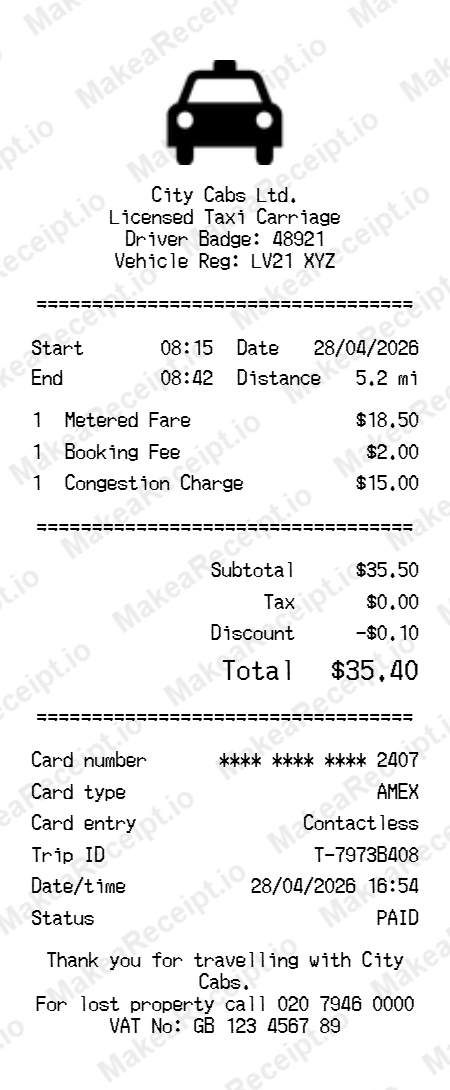
How to Create an UK Cab & Taxi Receipt in Minutes
Get your professional Taxi receipt instantly. Zero design experience required. Professional quality in just a few clicks.
Select your template
Browse our gallery to find the perfect Taxi layout. Our editor loads with realistic sample data ready for your touch.
Input order details
Adjust the header details for your Taxi receipt, including store address, register numbers, and cashier IDs.
Add itemized products
List your Taxi purchases with ease. Add each item, quantity, and unit price—the editor handles the math automatically.
Set totals & taxes
Configure the tax logic for your Taxi transaction. Choose between fixed or percentage rates and add custom discounts.
Choose payment method
Specify how the Taxi order was paid. Toggle between Cash or Card and input masked card numbers for authenticity.
Download your receipt
Review your live Taxi preview, then export the final design as a high-resolution PNG or PDF document.
Frequently Asked Questions
Everything you need to know about creating, customizing, and downloading professional Taxi receipts in seconds.
Can I use this for business travel reimbursement in the UK?
Yes, if you lost the original slip from a cab ride, this template provides the exact layout required by HR departments in the UK.
How do I document a Black Cab receipt?
Change the business name to "Licensed London Taxi", adjust the fare to match standard TFL rates, and ensure you include a valid VAT number.
Is this a legally binding transit receipt?
No. This is a mockup generator for visual and organizational records. It is not an official meter reading issued by a licensed carriage.
Can I use this for minicabs or private hire?
Absolutely. Change the details to match your private hire operator and remove the "Metered Fare" label, replacing it with "Agreed Journey Fare".
How do I add a tip?
Simply add a line item named "Gratuity (Optional)" and set the price you left for the driver.